
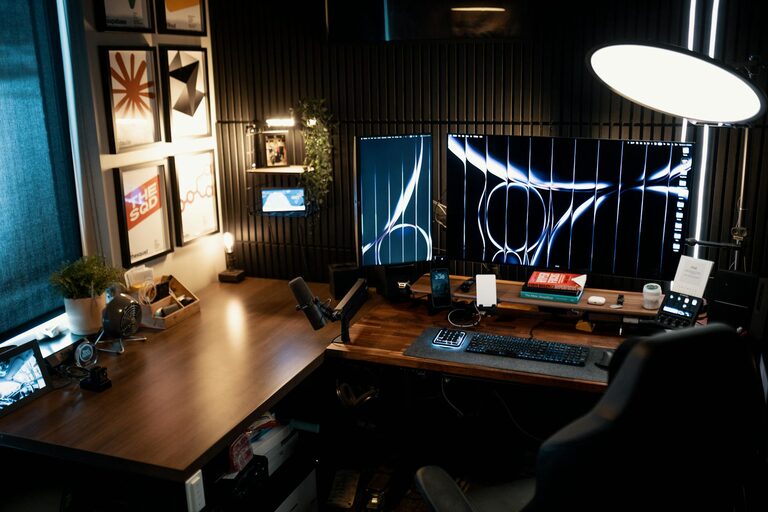

Creating a home office that balances coziness with productivity can greatly enhance your work-from-home experience. A well-designed space not only motivates you but also helps reduce stress and boost efficiency. Whether you’re setting up a new workspace or revamping an existing one, these tips will guide you in creating a home office that feels both comfortable and functional.
Choose the Right Location
Consider Natural Light
Natural light can dramatically improve your mood and energy levels. Try to position your desk near a window, but avoid direct glare on your computer screen. If natural light is limited, invest in good-quality artificial lighting that mimics daylight.
Minimize Distractions
Pick a quiet corner or room where you can focus without interruptions. If space is limited, consider using room dividers or noise-canceling headphones to create a sense of separation from everyday distractions.
Invest in Comfortable Furniture
Ergonomic Chair and Desk
Comfort is key when working long hours. A chair that supports your lower back and encourages good posture will help prevent discomfort and fatigue. Similarly, choose a desk at the right height to keep your wrists and arms in a relaxed position.
Add Soft Furnishings
Incorporate cushions, a cozy rug, or a throw blanket to make your workspace inviting. These touches add warmth and can contribute to a sense of relaxation, making it easier to settle into your tasks.
Organize Efficiently
Declutter Your Space
A tidy workspace helps clear your mind. Keep only essential items on your desk and store other materials in drawers or shelves. Regularly declutter to maintain a neat environment.
Use Storage Solutions
Use organizers like trays, baskets, and filing cabinets to keep documents and supplies orderly. Labeling containers can save time when searching for items and reduce clutter buildup.
Personalize Thoughtfully
Bring in Plants
Indoor plants not only enhance aesthetics but also improve air quality and reduce stress. Choose low-maintenance varieties like succulents or pothos for easy care.
Add Artwork and Photos
Decorate your space with images, prints, or personal photos that inspire you. Avoid overly busy or distracting visuals; opt for calm and motivating designs instead.
Optimize Technology Setup
Position Your Screen Properly
Place your computer screen at eye level and about an arm’s length away to reduce eye strain and neck pain. Use a monitor stand if necessary to achieve the right height.
Manage Cables Neatly
Organize wires using clips or cable sleeves to keep your desk clean and safe. A clutter-free surface enhances focus and prevents accidental unplugging.
Maintain Good Air Quality and Temperature
Ventilation
Fresh air improves concentration and comfort. Open windows when possible or use an air purifier to keep your space well-ventilated.
Control Temperature
Keep your office space at a comfortable temperature. Use fans or heaters as needed to avoid distractions caused by being too hot or cold.
Establish a Routine and Boundaries
Set Work Hours
Define clear start and end times for your work to maintain balance and avoid burnout. Use alarms or reminders if necessary to keep on schedule.
Communicate Boundaries
If you live with others, make sure they understand when you need quiet time. Use signs or designated work hours to minimize disturbances.
Incorporate Movement and Breaks
Take Regular Breaks
Step away from your desk every hour to stretch and move. This small habit refreshes your body and mind, helping sustain productivity throughout the day.
Add a Standing Option
Consider a sit-stand desk or a high table option. Changing positions regularly reduces strain and improves circulation.
—
By thoughtfully combining comfort with organization and functionality, your home office can become a space where you enjoy working and feel motivated. Remember, the best setup is one that fits your personal needs and style. Experiment with different arrangements and adjustments until you find the perfect balance.